
THE DUKE GUIDE
How we made a 25-second ad that looks expensive
8 steps, copy-paste prompts, and every real number from THE REAL EDIT, our own DUKE FX ad.
- 8 steps
- 25 s ad
- 16:9 + 9:16
- 177 sound cues
Made by DUKE FX. The same ad you are about to take apart.
HOW TO USE IT
Work top to bottom. Every step ends with prompts you can paste into any AI assistant (Claude, ChatGPT, whatever you use).
Swap the [RED BRACKETS] for your own product. What one step gives you feeds the next one.
You need four things: an AI assistant for the writing, an AI voice (or your own mic), a tool to animate in, and an editor with a sound library. We used Claude, a voice clone of our founder, HyperFrames and DaVinci Resolve. Nothing here depends on those exact tools.
START WITH A SUM
Sell the math, not the features.
A list of features is easy to scroll past. A sum is not, because the viewer checks it against their own life. You need three things: a big number your viewer believes, a smaller number that is true, and the costs that eat the difference. Then make it add up to the minute. If the sum is off by one, someone in the comments will find it.
Our sum
| A 60-second reel took | 3 hours (180 min) | |
|---|---|---|
| Captions | 60 min | 33.3 % |
| Transitions | 45 min | 25.0 % |
| Logo animation | 30 min | 16.7 % |
| Actual editing | 45 min | 25.0 % |
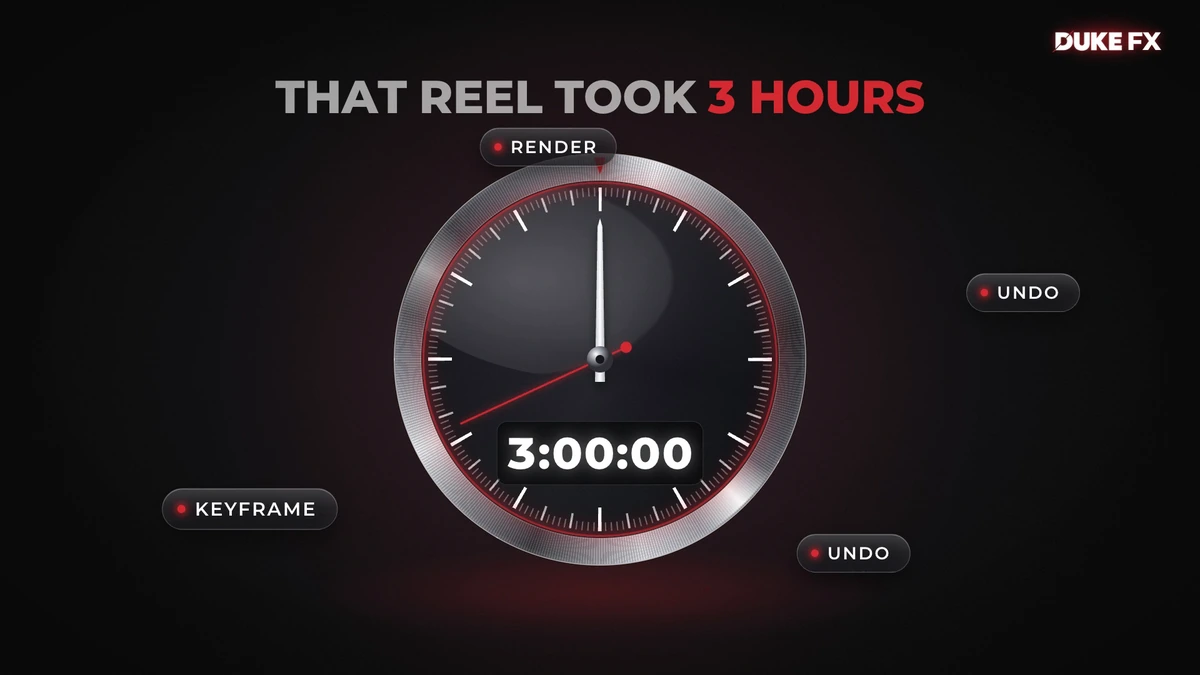
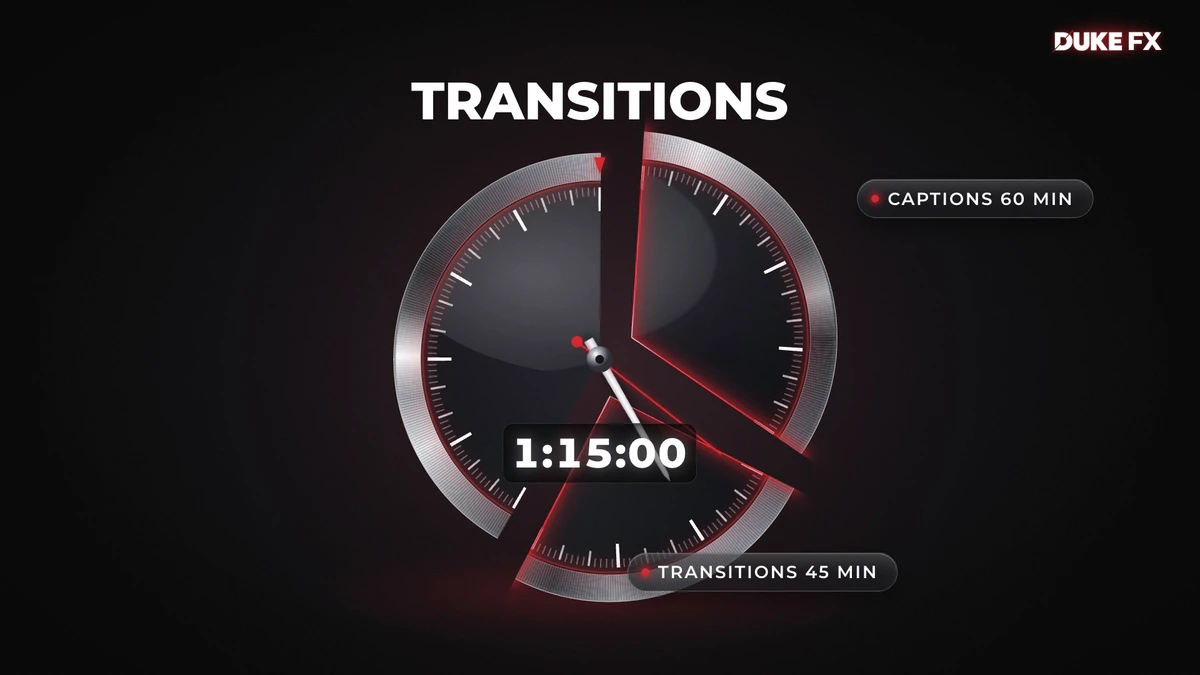
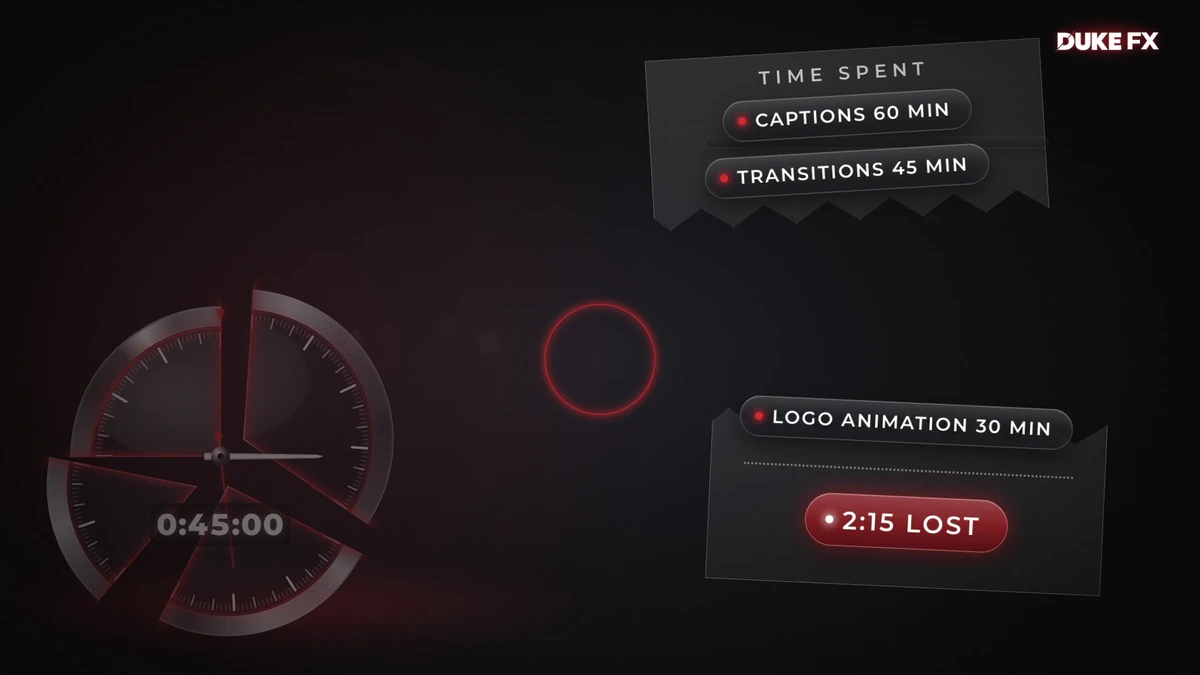
60 + 45 + 30 + 45 = 180. On screen the counter walks 3:00:00 to 2:00:00 to 1:15:00 to 0:45:00, one step per cost.
My product is [PRODUCT] for [AUDIENCE]. Find the one number they believe about [TASK] and the smaller number that is actually true. Give me 3 costs that eat the difference, in minutes or dollars, that add up exactly.
Turn each cost into a percent of the big number and check the total is exactly 100.
WRITE IT SHORT
11 lines. 23 seconds of voice.
Open with a line that calls out something the viewer trusts. Ours: "Your timeline is lying to you." Then the big number, then the true number, then one short line per cost. Say the product name once, on its own, and finish on it.
Write long first, then cut. Every line you cut makes the rest hit harder.
Our script
with the time each line starts in the finished ad
| 0.00 | Your timeline is lying to you. |
|---|---|
| 2.40 | That reel took three hours. |
| 4.43 | You actually edited for... forty-five minutes. |
| 7.59 | Captions ate an hour. |
| 9.17 | Transitions took forty-five minutes. |
| 11.25 | Logo animation, thirty. |
| 13.19 | Meet DUKE FX. |
| 14.79 | Captions. Transitions. Drop-ins. Motion blur. |
| 18.14 | One drag each. |
| 19.40 | Less keyframing. More editing. |
| 21.67 | DUKE FX. |
9:16 version adds: Comment DUKE and I'll send you the link.
Write a voice-over of about 55 words from this sum: [PASTE SUM]. First line accuses something the viewer trusts. One line per cost, verb first. Numbers written as spoken words. End with "Meet [BRAND]." and then the name alone.
Cut this script by a third without losing a single number.
PICK ONE SPINE
One object carries the whole story.
Pick one thing on screen that can show the numbers change, and keep it in almost every shot. Ours is a 3-hour clock ring in glass and brushed metal. It fills to 3 hours, shrinks to a 45-minute sliver, loses a wedge for every cost, and at the end it turns into the DUKE FX logo. The viewer never has to read a chart. They watch time get eaten.
Give me 5 ideas for ONE object that can physically show [BIG NUMBER] shrinking to [SMALL NUMBER]. No charts.
For the object I picked, list what it does on each line of this script: [PASTE SCRIPT].
A NEW IDEA EVERY BEAT
Never use the same trick twice.
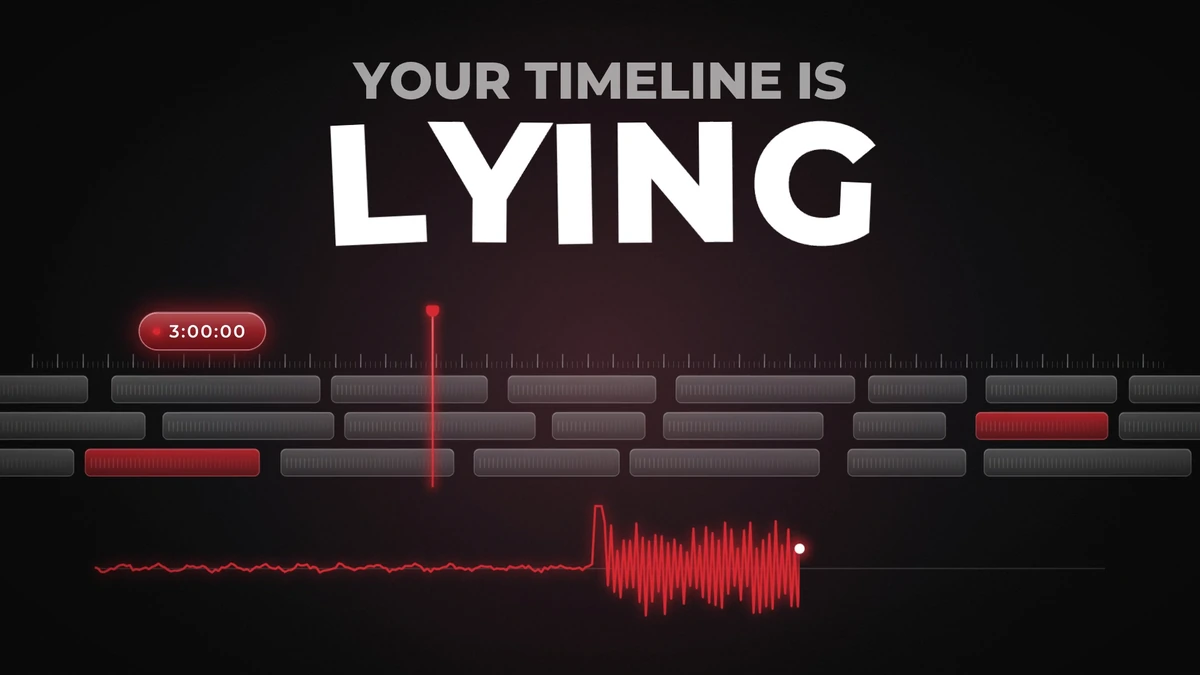
Our first version had only the clock, and our founder called it plain. The fix was a new visual idea every 1 to 2 seconds around the spine: a red lie-detector line that spikes on "lying", caption words that bite a wedge out of the ring, keyframe diamonds that pile up until their weight snaps a wedge off, the costs printing out like a receipt that tears in half on "Meet DUKE FX". Every beat also brings the words in a different way: type-on, scramble, letters falling, an underline that draws itself.
Keep the look calm while the ideas go wild: one dark stage, one accent color (DUKE red #D4232B), white for the key word, grey for the rest, one typeface (Montserrat).
Beat board
| time | what is on screen | what happens on the key word |
|---|---|---|
| 0.00 | timeline + red lie-detector line | spikes on "lying", 0:60 scrambles to 3:00:00 |
| 2.40 | playhead curls into the clock ring | counter rolls to 3:00:00 on "three hours" |
| 7.59 | caption word pills march in | they bite a 1/3 wedge on "hour" |
| 11.25 | keyframe diamonds rain down | the pile snaps a 1/6 wedge off on "thirty" |
| 13.19 | receipt tears | logo slams in on "Meet", on the downbeat |
Never list
no faces, no mascots, no cartoons, no serif fonts, no rainbow colors, no fake app screens, only ONE glitch in the whole ad, nothing standing still longer than 0.8 s.
Write a beat board for this script: time | on screen | what changes ON the key word. Every row must be a new visual idea. No idea may repeat.
Design system for [BRAND]: dark stage, one accent [HEX], one typeface in 3 weights. Then write a never list.
VOICE FIRST
Record the voice before you animate anything.
The picture is cut to the voice, never the other way round. We used an AI clone of our founder's own voice and generated 3 takes: calm, medium and hyped. Medium won. Spell the brand the way it is said ("Duke F X") and write every number as words.
Then run the take through a transcription tool that gives word timestamps. That turns your beat board into exact times.
Real numbers
- Raw take 22.99 s, trimmed to 22.94 s.
- Longest pause 0.485 s (after "thirty"). Every other gap was 0.13 to 0.40 s, so the only edit was a 0.05 s trim at the start.
- The transcript of the final export matches the script word for word.
Prepare this script for an AI voice: spell [BRAND] the way it is spoken, write every number as words, and mark at most 2 pauses.
Voice direction: [VOICE], confident, medium energy, slightly fast. Give me 3 takes: calm, medium, hyped.
LAND THE LOGO ON THE BEAT
Move the music, never the voice.
The moment your brand name is spoken should hit a downbeat. Instead of making new music, we found the tempo of the track and slid the whole song so a strong downbeat lands exactly on "Meet".
The math
- Track tempo 87.98 BPM (one bar = 2.728 s).
- Downbeat we wanted: 22.163 s into the song (8 bars after its first beat).
- "Meet" is spoken at 13.190 s in the ad.
- Start the song at 22.163 minus 13.190 = 8.973 s in. Shift it, never stretch it.
- Measured on the finished mix: the hit lands 7 ms after the word. One frame at 60 fps is 16.7 ms.
My brand name is spoken at [TIME] s. The track is [BPM] BPM. Which downbeat should land on it, and where do I start the track so it does?
ONE SOUND RECIPE PER EVENT
Most of the polish is sound.
The 16:9 ad has 177 sound cues built from 48 sound files. The trick is not more sounds, it is one recipe per kind of event, used every time that event happens. Only 2 moments get a big hit: "lying" and "Meet DUKE FX".
Recipes
| Counter tick | a soft UI click, alternating hard left and right |
|---|---|
| Wedge cut | digital zap + glass crack + sub drop |
| Box landing | swoosh + short bass hit |
| Word pop | a dry pop |
Rules
- Start the sound at 0.00 s, never on silence. Fade the very first sample in over 4 ms so a looping reel never clicks.
- No sound effect peaks louder than the voice minus 3 dB while a word is spoken (we checked 973 blocks, 0 broke the rule).
- Keep the music about 19 dB under the voice in the speech range (300 to 3400 Hz).
From this beat board, write a sound cue sheet: time | event | layers | level. One recipe per repeated event and only 2 hero hits.
CHECK IT LIKE A SKEPTIC, THEN DELIVER
Look at the frames. Don't trust the render.
Every version we rendered passed our automatic checks and still had problems a person spots in a second: a logo too small, a drag that looked frozen, a sound with no picture under it. So we look at it: frame strips on every move, a full-size crop of every piece of text, and a transcript of the final audio to prove the last thing you hear is the call to action.
Deliver
- Loudness -14 LUFS, true peak under -1 dB (ours: -14.0 LUFS, -1.8 dBTP on 16:9, -1.6 dBTP on 9:16).
- Masters 1920x1080 and 1080x1920, 60 fps, H.264.
- 9:16 is laid out again, not cropped. Keep text out of the bottom 18 % where the app buttons sit.
- 9:16 ends on the ask: "Comment DUKE and I'll send you the link."
- 2-second end card with the logo and the web address.
Here is my render. List every check I should do by eye before I post it, for picture, text and sound.
THE 5 THINGS THAT MATTERED
- A sum beats a feature list.
- One spine object the viewer can watch get eaten.
- A new idea every beat, in a calm, one-color look.
- Voice first, then slide the music so the logo hits the downbeat.
- Watch every frame yourself before anyone else sees it.
Want the shortcut?
The transitions, captions and logo animations in this ad are DUKE FX. One drag each in DaVinci Resolve.
Get DUKE FX Download this guide (PDF)
THE DUKE GUIDE · dukefx.com